Homepage, bio, issues, events, endorsements, news, volunteer, contact, donation-link, and legal-footer areas are already part of the workflow.
Self-serve campaign websites
Political Campaign Website Builder
PoliticalWin is a political campaign website builder for candidates and campaign teams that need templates, guided editing, volunteer forms, external donation links, disclaimer fields, custom domains, and Spanish or bilingual pages.
Local, state, and federal campaigns
Volunteer forms and donation links
English, Spanish, or bilingual
Real template previews
Show candidates the website they are actually choosing
PoliticalWin sells the finished campaign-site experience: homepage, issues, events, media, donation links, and bilingual-ready structure. Template screenshots help candidates understand the product immediately.
Built for campaigns, not generic business websites
A campaign site has a different job than a small-business site
PoliticalWin starts with the pages campaign websites need: candidate bio, office, issues, volunteer form, external donation link, endorsements, events, news, photos, custom domain, and disclaimer fields. Candidates and trusted helpers fill out guided campaign fields instead of trying to turn a generic business template into a voter-facing campaign website.
Fields explain what to add, where it appears, and how to keep titles, cards, photos, and summaries from breaking the public design.
Volunteer forms and external donation buttons are visible without turning PoliticalWin into a contribution processor or voter-file system.
Choose English, Spanish, or bilingual structure when the race includes Spanish-speaking voters and the campaign can review translations before publishing.
Reviewing PoliticalWin for a campaign?
Use the templates, pricing, help center, or a quick call to evaluate fit before the campaign publishes.
Campaign website research
Compare the practical questions before you start.
Use these guides when the campaign is deciding between templates, software, outside design help, and a full custom build.
Start with the campaign website builder overview
Plan the site
Campaign website guide
Political campaign website design
Website design for politics
Campaign website examples
Federal and statewide races
Congressional campaign websites
U.S. Senate campaign websites
Governor campaign websites
Built for campaign launch speed
Launch a campaign website in minutes
Prebuilt sections, guided fields, mobile-friendly templates, external donation links, and no setup fee.
Prebuilt campaign templates
No drag-and-drop
English Spanish or bilingual
External donation links
Volunteer and signup forms
Blog and news pages
Events and endorsements
Media galleries and short videos
Compliance-friendly disclaimer fields
Custom domain support
SEO-ready pages
Built-in support tickets
How PoliticalWin works
From campaign template to public website
The workflow is built around campaign tasks, not a blank page builder.
Choose a campaign template
Start from a political website design for the office, tone, and language plan.
Add candidate facts
Enter candidate bio, office, district, issues, photos, and disclaimer fields.
Add forms and donation links
Collect volunteer/contact interest and point donation buttons to the campaign's external contribution platform.
Publish or connect a domain
Use a PoliticalWin path first or connect a campaign-owned domain when DNS is ready.
Keep the campaign current
Update news, events, endorsements, photos, FAQs, and election information as the race develops.
Product fit
Who PoliticalWin is for
PoliticalWin is focused campaign website software for teams that need credibility, clarity, and a manageable launch workflow.
First-time candidates
School board candidates
City council candidates
Judicial candidates
Sheriff candidates
Campaign managers
Treasurers and trusted volunteers
Consultants and county/local party teams
Not the right tool for every campaign
Who PoliticalWin is not for
PoliticalWin is intentionally narrower than full campaign operations software.
Full voter-file operations
PoliticalWin does not replace voter-file tools, canvassing databases, or field organizing systems.
Contribution platforms or filing
Donation buttons link to the campaign's contribution platform. PoliticalWin does not process campaign contributions or file reports.
Broader campaign operations
Larger campaigns that need voter-file operations, texting, email blasts, compliance operations, or complex integrations may need additional tools.
Human-reviewed AI assistance
AI-assisted campaign website setup — always reviewed by your campaign
PoliticalWin Assistant helps campaigns find missing launch details, draft clearer website fields from their own facts, improve SEO metadata, prepare Spanish translation drafts, and understand what to review before publishing.
See missing profile, page, domain, Spanish, and legal-review items before the campaign publishes.
Get clearer bios, page sections, event descriptions, news drafts, FAQs, alt text, and SEO metadata for human review.
No automatic publishing, no legal advice, no donation-link changes, no outreach, and no public campaign chatbot.
PoliticalWin Assistant is built for website operations and human-reviewed drafts. It does not provide legal advice, send political outreach, generate targeted voter persuasion, process donations, or publish campaign claims automatically.
No Design Experience Needed
PoliticalWin removes the blank canvas. Candidates fill out guided campaign fields and choose which sections to show.
Update English Once. Keep Spanish in Sync.
AI-assisted translation, review controls, manual overrides, glossary terms, and bilingual SEO structure support English/Spanish campaigns.
Self-Serve Publishing
Create an account, choose a plan, select a template, add content, preview, publish, and connect a custom domain.
Guided setup
From blank account to public campaign site
PoliticalWin turns the launch process into clear, ordered campaign tasks instead of a blank design canvas.
Draft first
Preview before publishing
Content stays saved
-
Choose a template
Design choice
-
Add candidate information
Campaign content
-
Upload photos and logo
Campaign content
-
Paste donation link
Campaign content
-
Turn sections on or off
Campaign content
-
Publish your site
Go live
-
Add Spanish if needed
Growth option
-
Connect your domain
Growth option
Product preview
Dashboard and campaign site work together
The candidate dashboard collects structured content. The public campaign site renders that content through the selected template, without a page builder.
Candidate Dashboard
72% complete
- Choose template
- Add candidate profile
- Add donation link
- Connect custom domain
Maria for CouncilDonate
Safer Streets. Better Schools.
Fictional campaign preview
24 campaign themes
Template Preview Gallery
Fictional demo content is used for previews. Partisan labels describe visual design categories only.
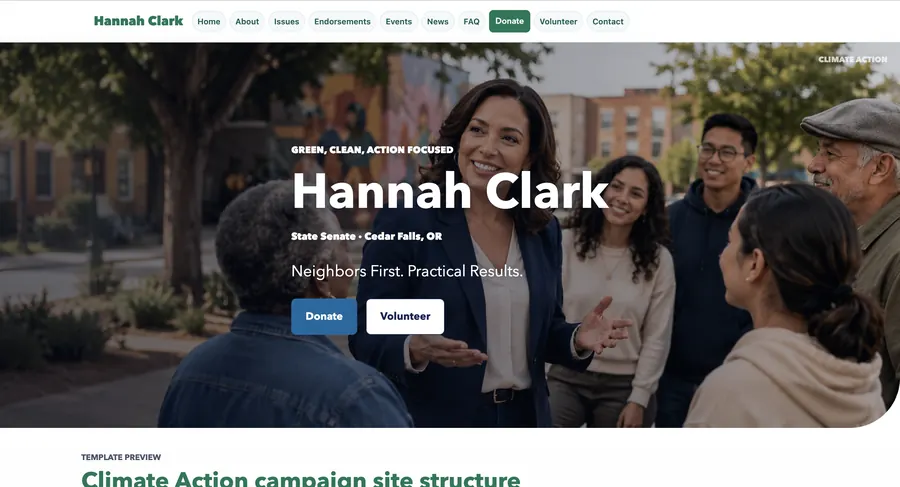
Climate Action
Democratic-style Template
Green/blue palette, environmental photo bands, clean icons
Demo Preview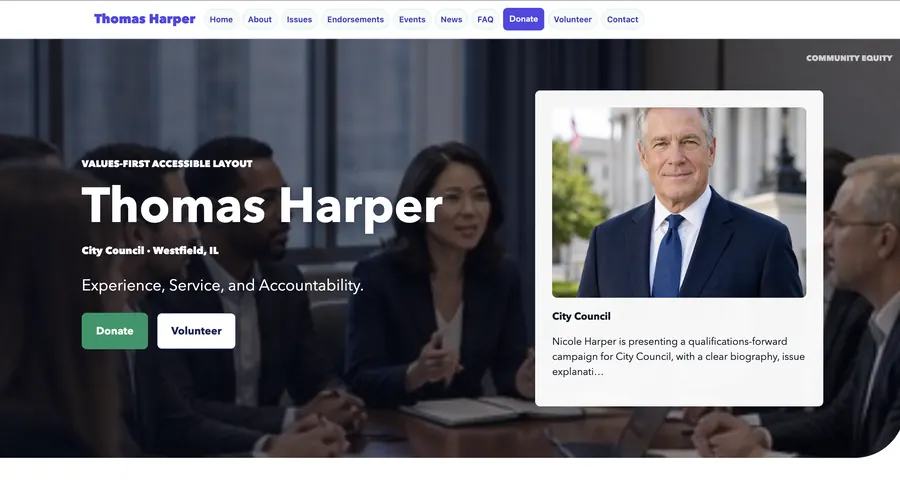
Community Equity
Democratic-style Template
Soft contrast, accessibility-forward spacing, values card grid
Demo Preview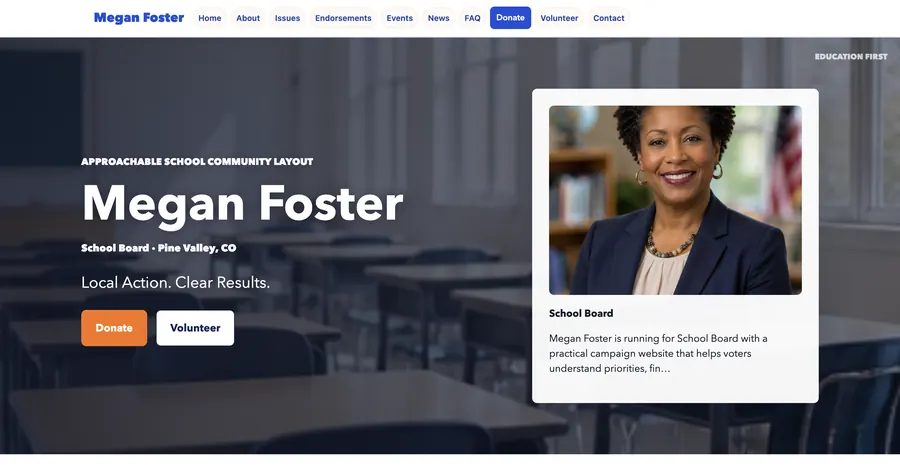
Education First
Democratic-style Template
School-board friendly layout, parent/community content sections
Demo Preview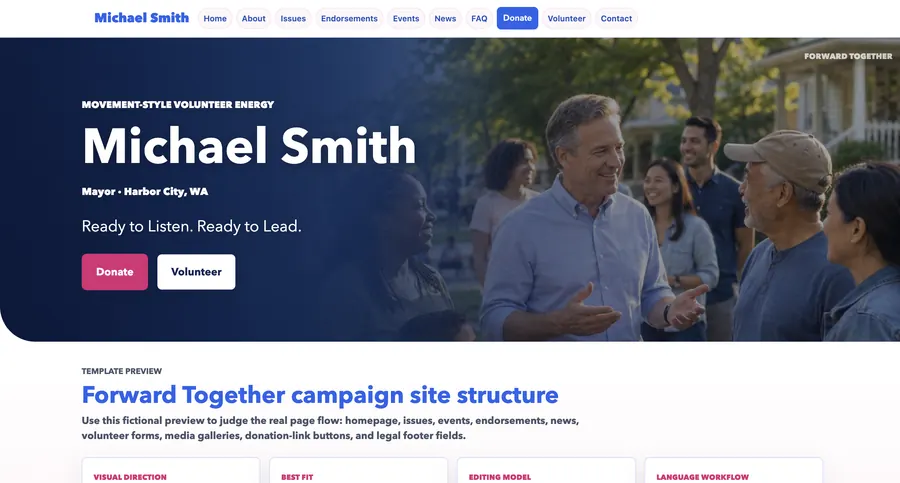
Forward Together
Democratic-style Template
Movement-style homepage, people-first imagery, layered CTAs
Demo Preview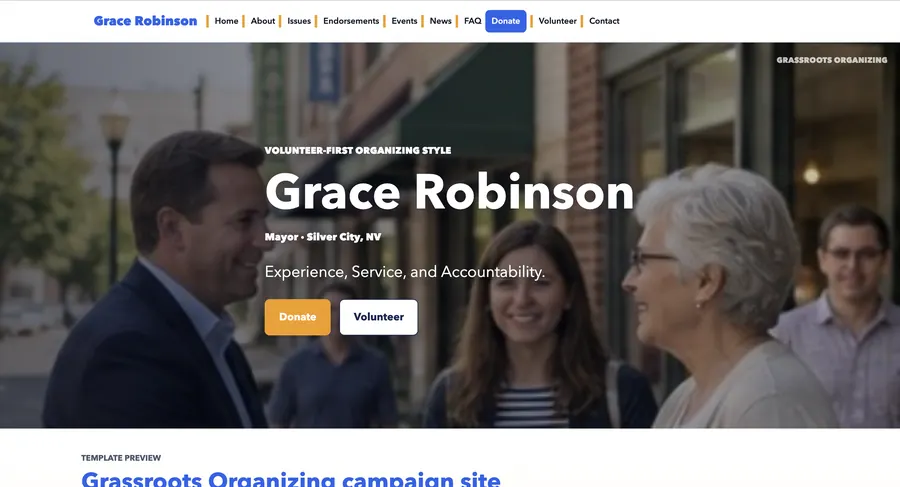
Grassroots Organizing
Democratic-style Template
Volunteer-first layout, handbill-style cards, signup emphasis
Demo Preview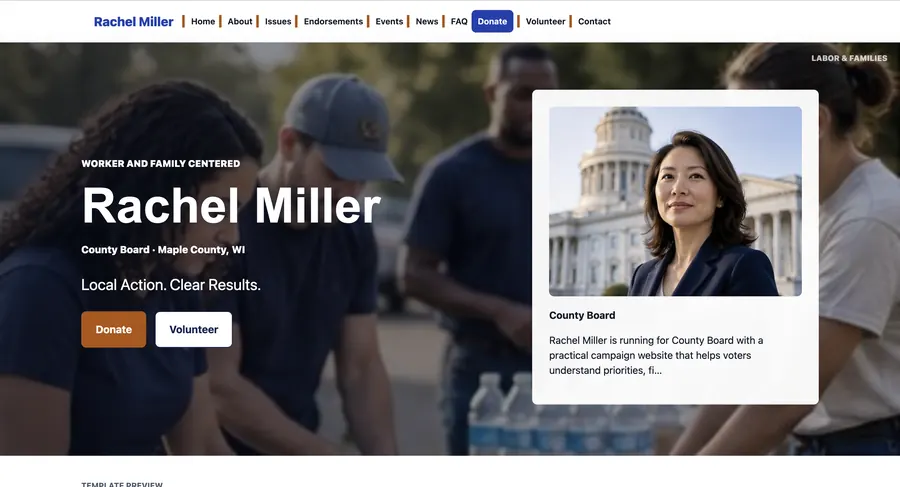
Labor & Families
Democratic-style Template
Union-inspired stripes, family-photo sections, event prominence
Demo Preview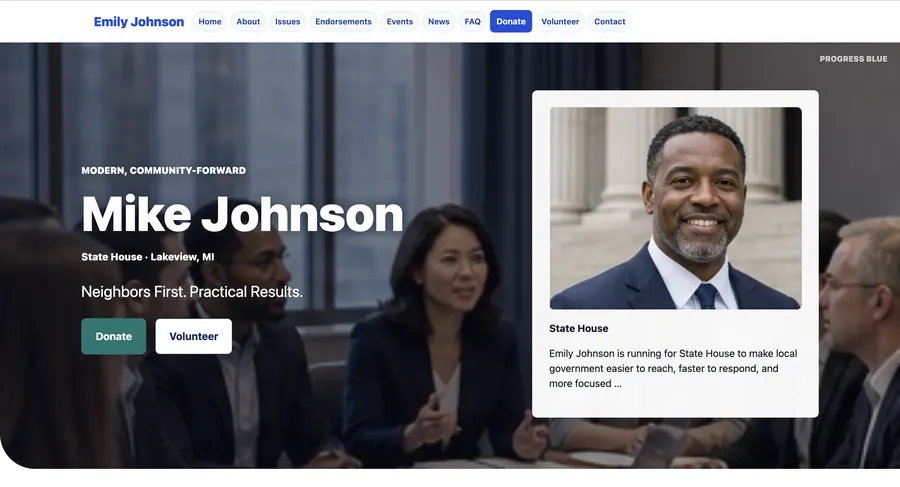
Progress Blue
Democratic-style Template
Clean blue gradients, rounded issue cards, community photo emphasis
Demo Preview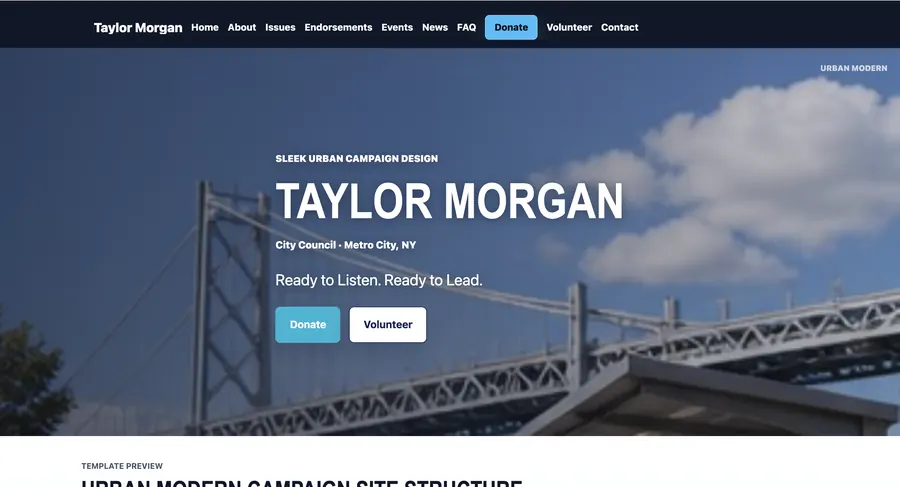
Urban Modern
Democratic-style Template
Sleek urban editorial blocks, sharp typography, dark header
Demo Preview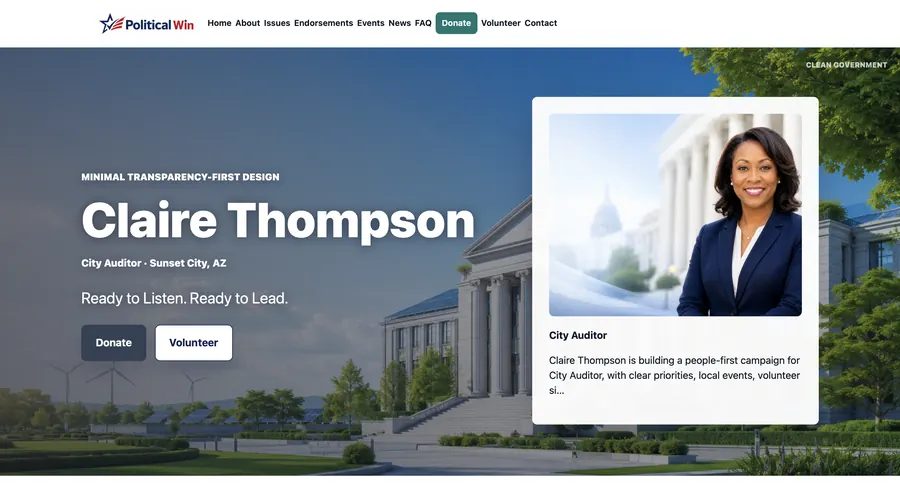
Clean Government
Independent Template
Minimal transparency-focused design, checklist-style issue blocks
Demo Preview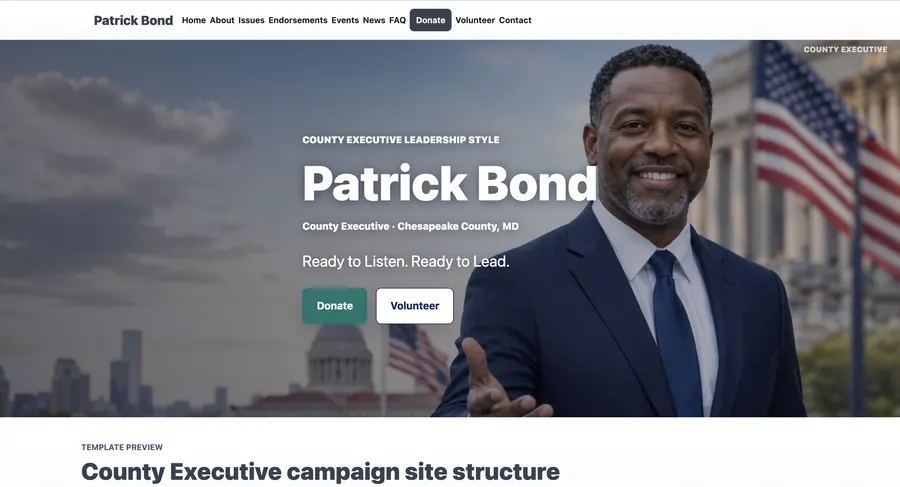
County Executive
Independent Template
Executive-style leadership layout with policy summary bands
Demo Preview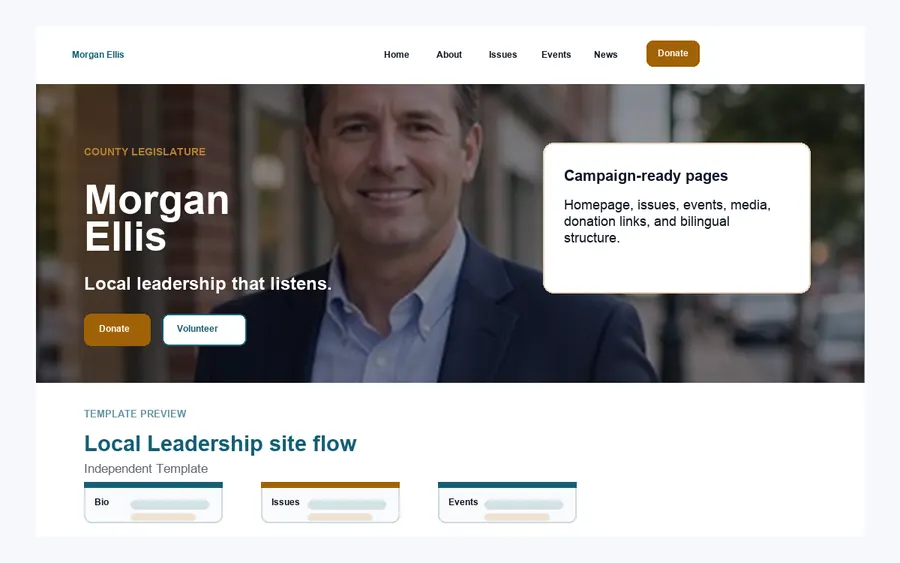
Local Leadership
Independent Template
Community-first homepage with practical office and location emphasis
Demo Preview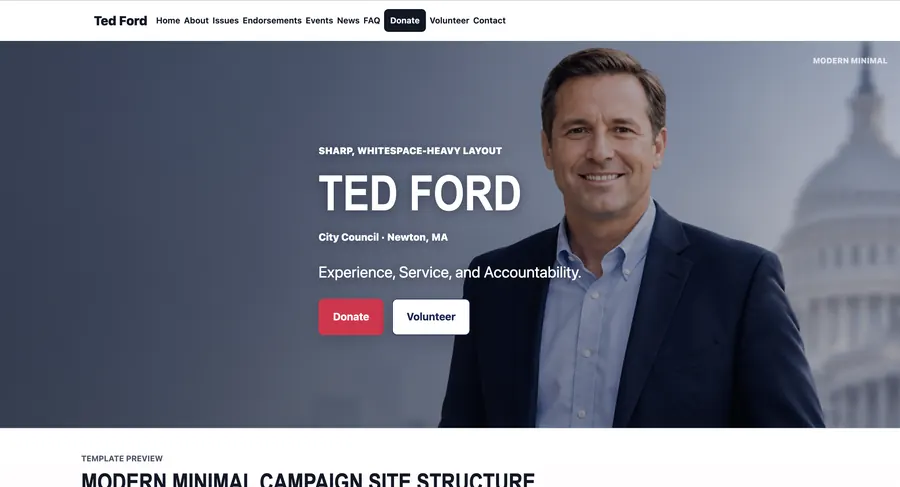
Modern Minimal
Independent Template
High whitespace, typographic impact, minimal visual chrome
Demo Preview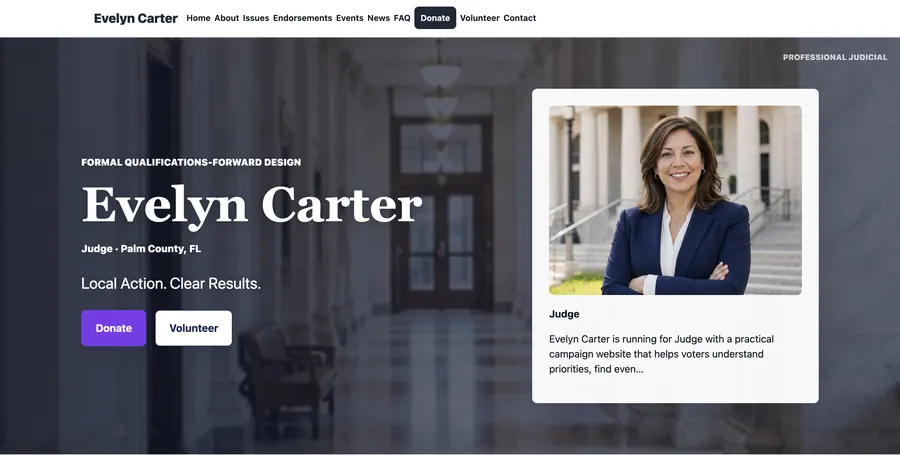
Professional Judicial
Judicial Template
Formal judicial layout, qualifications-forward sections, restrained palette
Demo Preview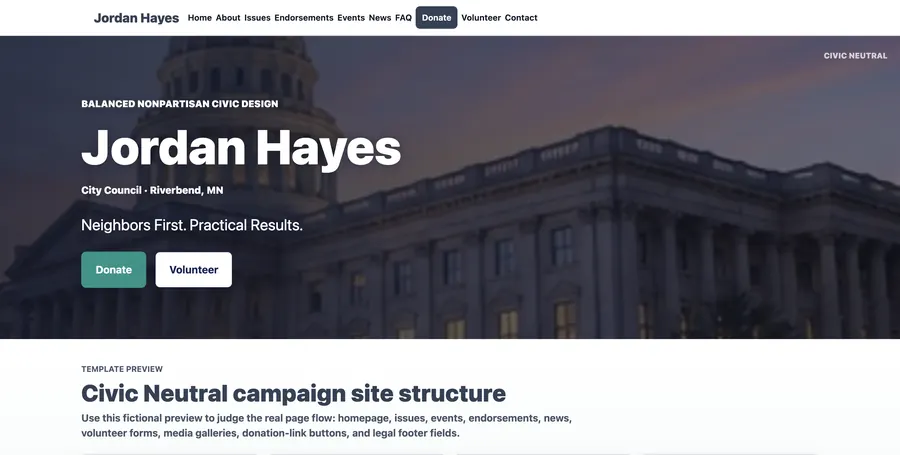
Civic Neutral
Nonpartisan Template
Neutral civic palette, calm cards, balanced campaign identity
Demo Preview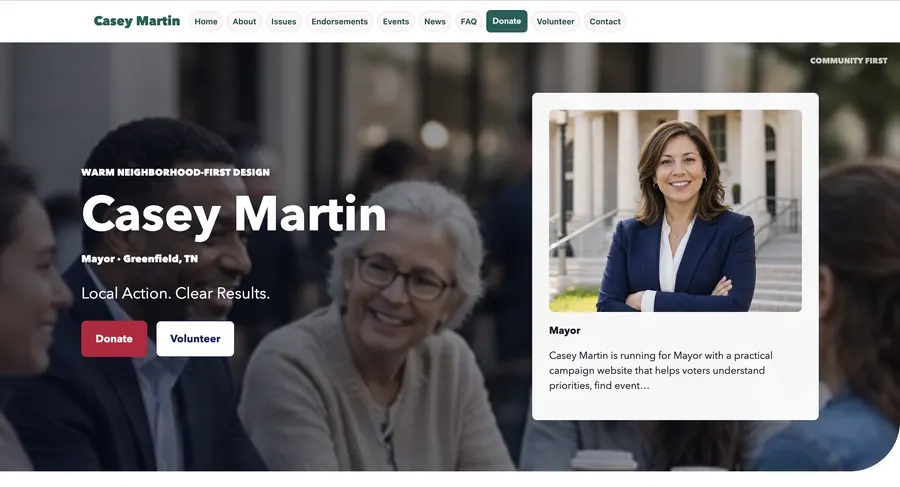
Community First
Nonpartisan Template
Warm neighborhood layout, story-first sections, gallery-friendly homepage
Demo Preview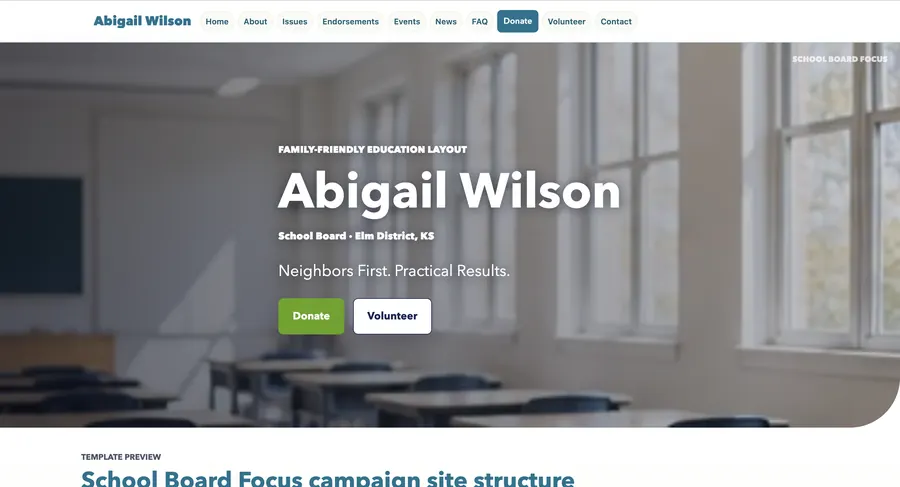
School Board Focus
Nonpartisan Template
Family-friendly layout, education issue panels, approachable CTAs
Demo Preview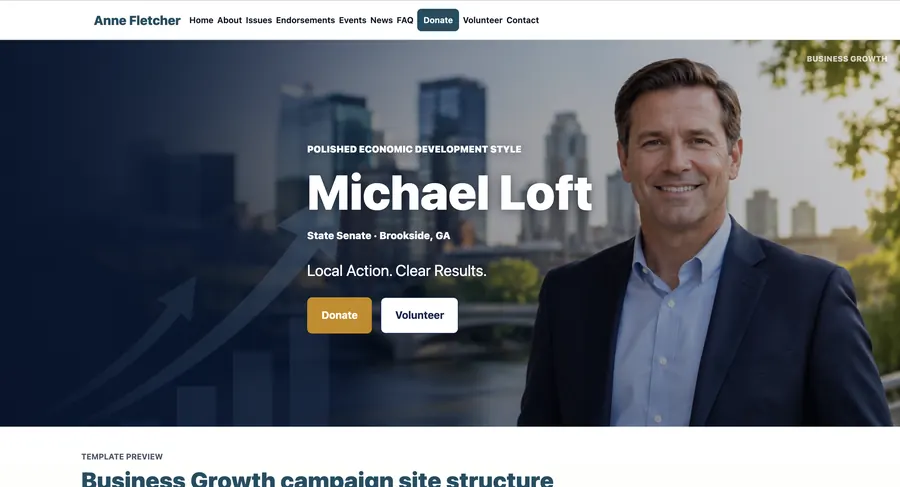
Business Growth
Republican-style Template
Economic-development visual system with metrics-free feature rows
Demo Preview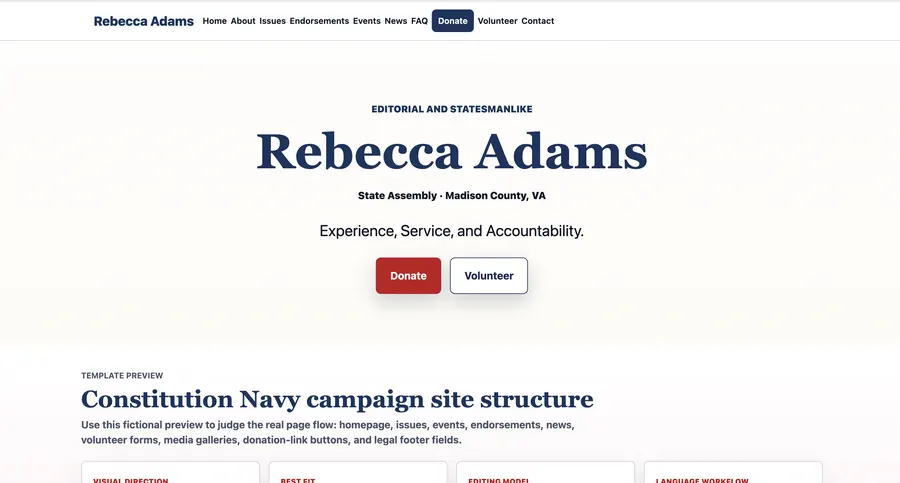
Constitution Navy
Republican-style Template
Deep navy editorial layout with parchment accents
Demo Preview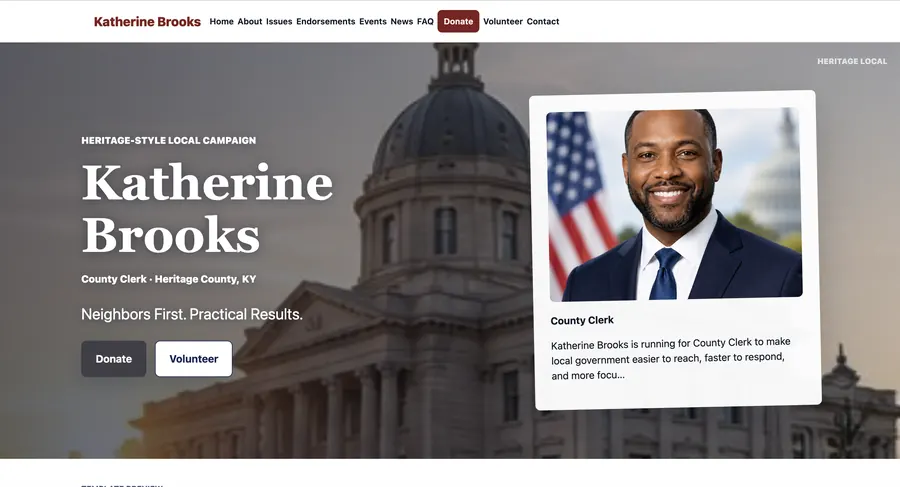
Heritage Local
Republican-style Template
Heritage typography, framed candidate portrait, timeline blocks
Demo Preview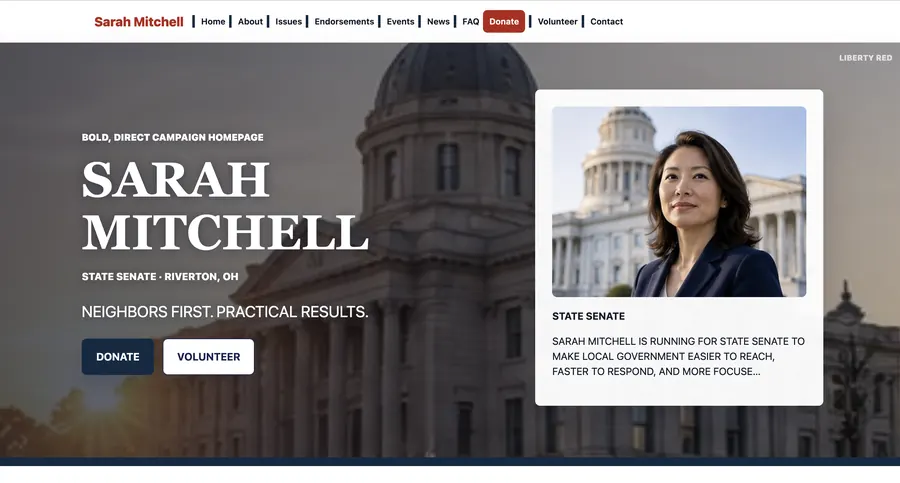
Liberty Red
Republican-style Template
Bold banner, strong serif headings, structured issue tiles
Demo Preview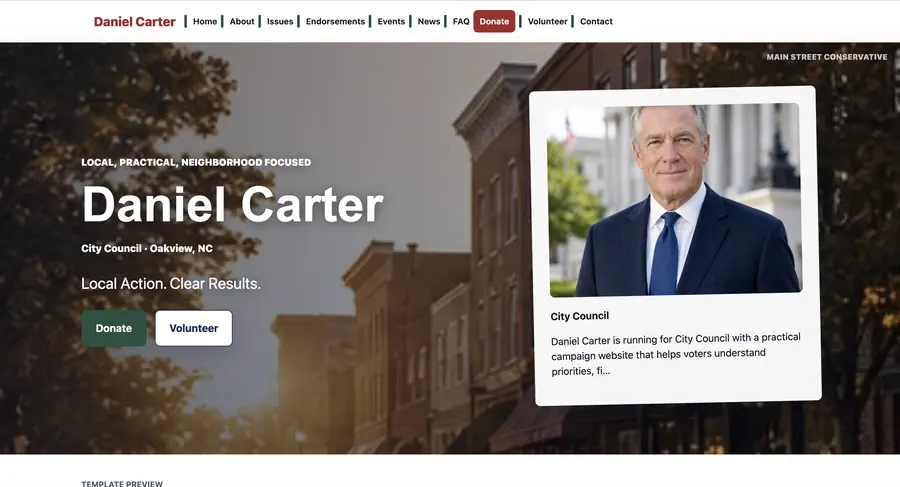
Main Street Conservative
Republican-style Template
Local storefront feel, warm photos, compact homepage sections
Demo Preview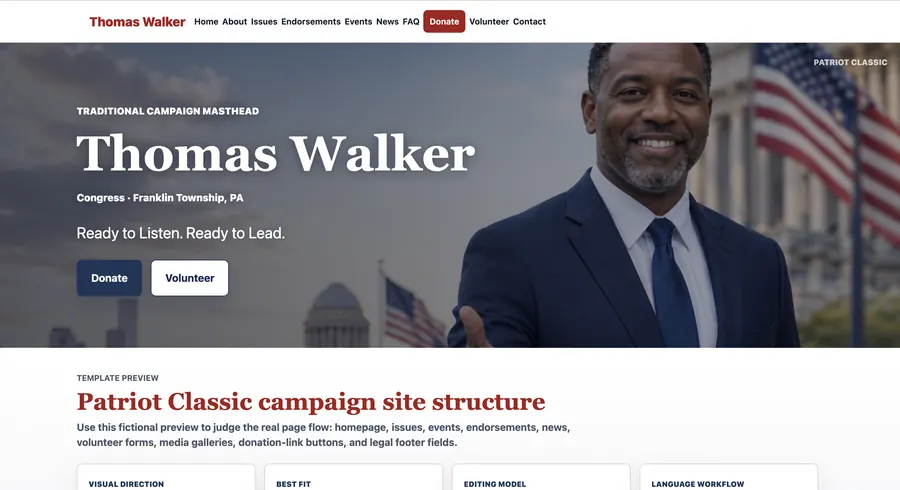
Patriot Classic
Republican-style Template
Traditional masthead, bordered cards, formal campaign seal area
Demo Preview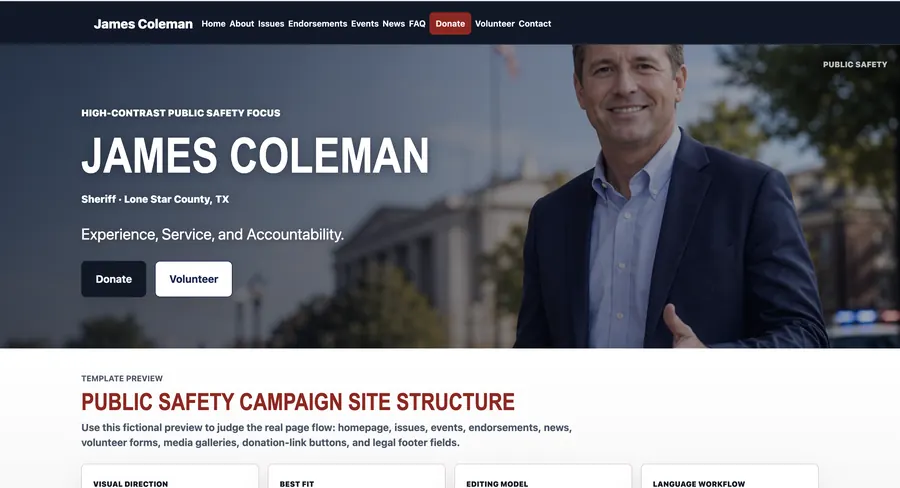
Public Safety
Republican-style Template
High-contrast emergency-style CTA strips and credentials panels
Demo Preview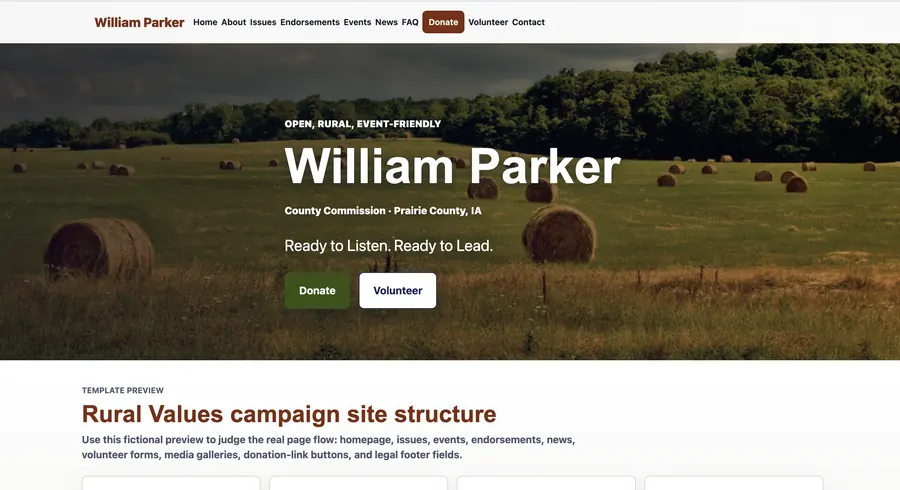
Rural Values
Republican-style Template
Wide landscape imagery, earthy accent bars, event-first layout
Demo PreviewSimple monthly plans
Pricing Preview
No launch fee. No required setup fee. Start with the language structure your campaign needs now.
English
Launch a polished campaign website in English.
$39 /month
Choose English
- Guided campaign setup
- Templates, forms, and media
- SEO and custom-domain tools
Spanish
Publish a Spanish-only campaign website.
$39 /month
Choose Spanish
- Spanish public site
- Same guided editing flow
- Forms, media, SEO, and domains
Most flexible
Bilingual
Run English and Spanish pages together.
$69 /month
Choose Bilingual
- English and Spanish routing
- Translation drafts and review
- Manual overrides and hreflang SEO
No launch feeStart without a setup charge.
No required setup feeSelf-serve launch, no manual onboarding package.
Public draft before publishingPreview before visitors see the site.
External donation links onlyUse ActBlue, WinRed, Anedot, or your platform.
Compliance and donation note
PoliticalWin helps campaigns publish website pages, forms, disclaimer fields, and external donation links. PoliticalWin does not process campaign contributions or provide legal, campaign-finance, tax, accounting, cybersecurity, election-law, advertising, or political strategy advice. Campaigns should review all website content, donation links, and disclaimers with their treasurer, counsel, or compliance professional before publishing.
Fit, not spin
PoliticalWin Compared
Generic builders
PoliticalWin starts with campaign-specific sections instead of a blank design canvas.
Larger campaign systems
PoliticalWin is narrower: campaign websites, publishing, forms, media, SEO, domains, and support.
Manual packages
PoliticalWin is designed for self-serve setup without a required launch fee or manual onboarding.
Common questions
Campaign Website FAQ
Does PoliticalWin process donations?
No. Campaigns paste an external donation link from the contribution platform they already use.
Is this drag-and-drop?
No. PoliticalWin uses prebuilt campaign templates and guided form editing. Media upload and sorting can still use drag-and-drop.
Can I create a Spanish campaign website?
Yes. Plans support English-only, Spanish-only, and English/Spanish bilingual websites.
Can any party use it?
Yes. PoliticalWin is nonpartisan and supports Republican, Democratic, independent, nonpartisan, judicial, school board, local, state, and federal campaigns.
Can a consultant or campaign manager help set it up?
Yes. A campaign team can review templates, fill out guided fields, preview the draft, and publish when the candidate is ready.
Should I wait until every page is perfect?
No. Start with a draft, add the essentials first, preview on mobile, and publish once the public version is ready.
Start With a Draft. Publish When Ready.
Use external donation links, custom domains, plain-language help, support tickets, and compliance-friendly disclaimer fields.