Start with a realistic demonstration
A campaign website fits your country when the actual publishing experience supports your office, location, forms and language needs—and when the price and service boundaries are clear. A flag on a sales page cannot demonstrate that. Before choosing a provider, use a short demonstration brief that turns broad promises into things your team can see and explain.
Start with a fictional candidate and ordinary sample content. Do not upload a real supporter list or confidential campaign material just to evaluate software. Use the same brief for each demonstration: a candidate introduction, one priority, one event and a contact route, all labelled as demonstration material. Record what the public preview shows, which tasks your team performs and which questions still need an answer.
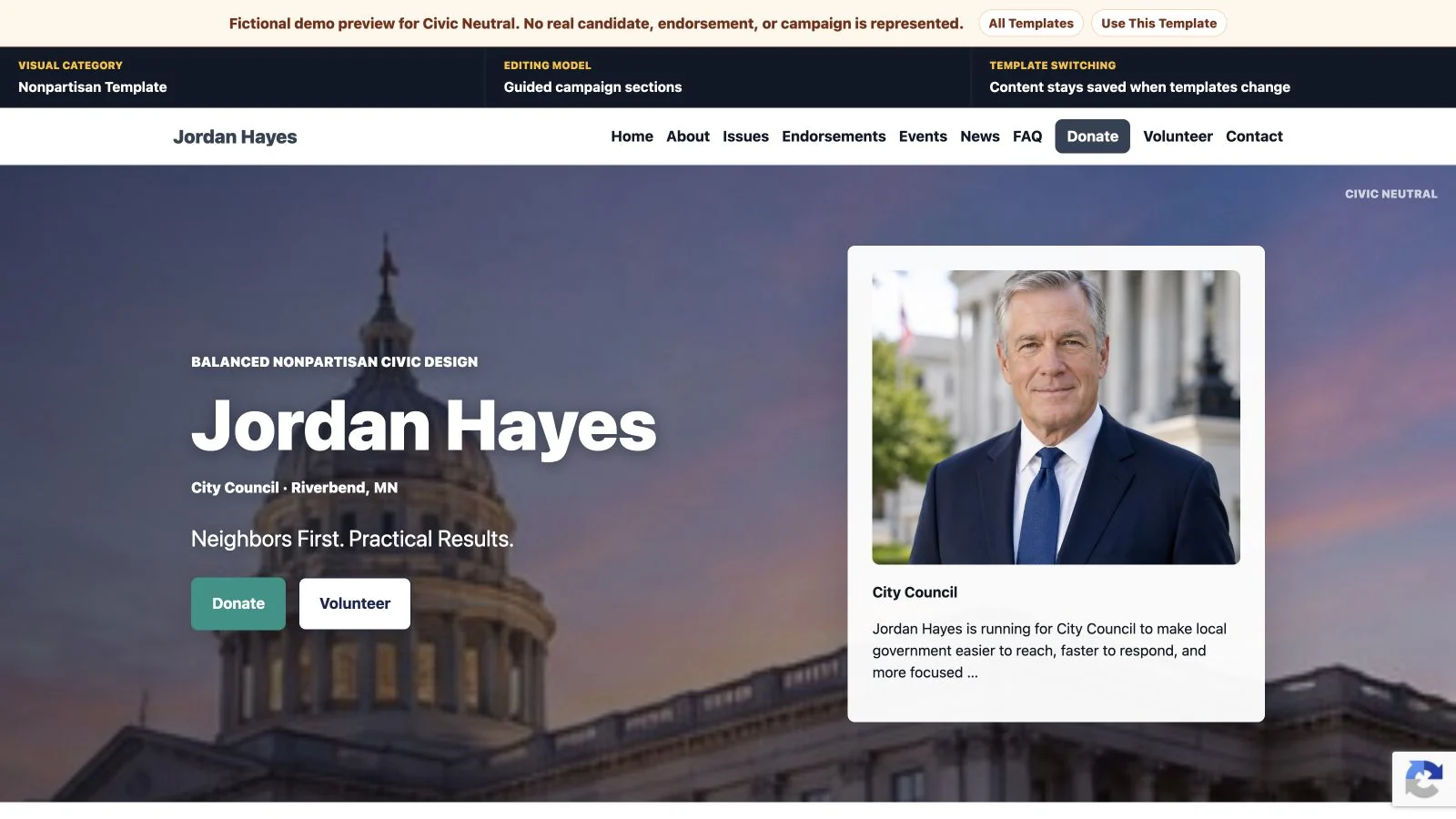
Begin with identity, not a feature count
Ask the provider to show how a candidate's name, office and electoral area appear together. A US school-board candidacy, a Canadian councillor campaign and a Westminster constituency campaign need different descriptions. The test is whether you can express your actual identity clearly without misleading labels or pretending that the site is an official public service.
Also distinguish flexible text fields from automatic geographic knowledge. A field that accepts a riding or ward name does not prove that the software supplies current boundaries, eligibility information or election dates. Keep those facts with the relevant official authority and your campaign's review process.
Examine one form closely
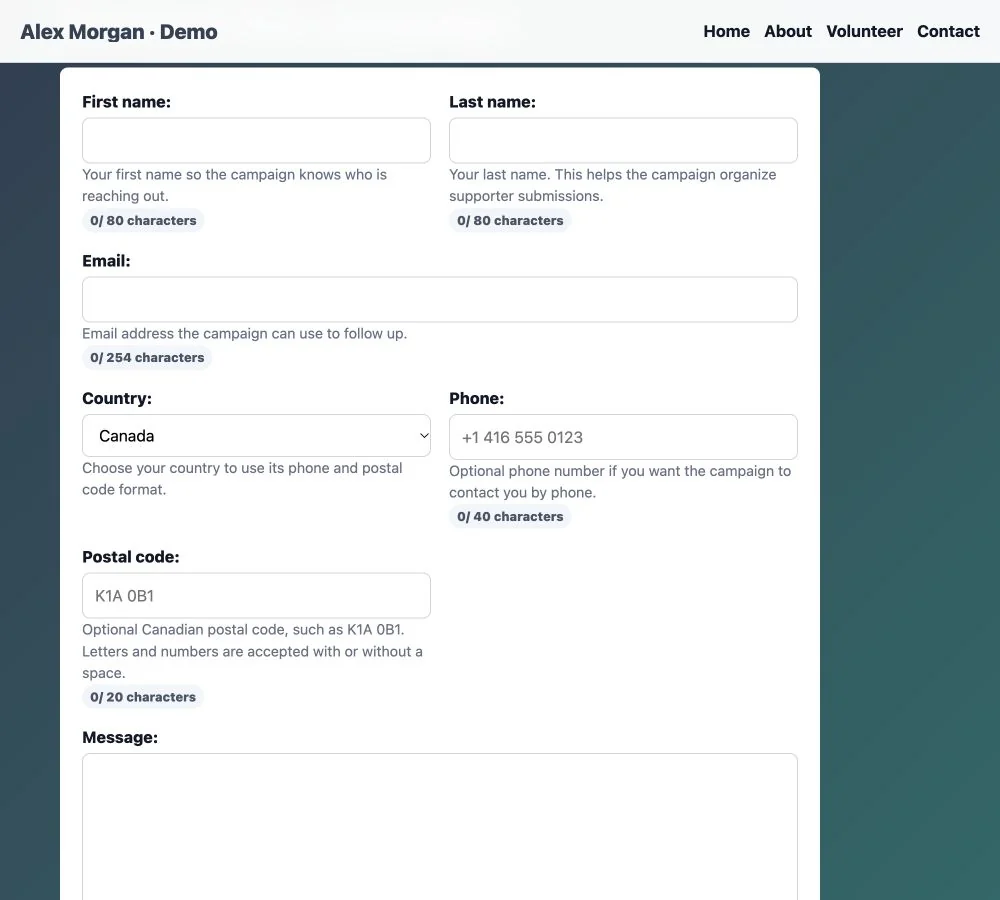
Open a contact or volunteer form on a phone. Read every label, identify the required fields and check how a person can contact the campaign without supplying unnecessary information. Ask where responses are reviewed and which notifications are available; do not infer a complete CRM from a working form.
For Canada, look for postal-code terminology and the appropriate format. For the UK, review postcode wording. With PoliticalWin, Canadian and UK postal collection is optional and can be hidden. When comparing any provider, have it demonstrate the claimed country behaviour rather than showing a screenshot with an edited label. With permission, test blank, valid and invalid postal input using fictional details. Check validation and the saved country, then hide collection and confirm the public field disappears. Never submit a demonstration request to an unsuspecting campaign.
Treat language as a separate requirement
Write down the languages you need before comparing plans. Ask to see complete navigation, public pages and forms in each supported language, together with the editing and review process. An office name entered in another language does not demonstrate multilingual publishing.
PoliticalWin currently supports English, Spanish and English/Spanish websites. Native French and English/French publishing are not available, nor are native Welsh, Scottish Gaelic or Irish options. If one of those languages is essential, resolve that fit question before paying. Do not let an attractive template or a generic “bilingual” label stand in for the required demonstration.
Compare the same purchase boundary
Record the billing currency, interval and included service. Canadian dollars, US dollars and pounds are different amounts; avoid treating identical-looking numbers as equivalent. Separate the website subscription from domain registration, content preparation and outside services. Ask who makes updates and what support actually includes. Use the existing quote-comparison worksheet to organise those costs.
PoliticalWin's current public plans are US$39 monthly for English, US$39 for Spanish and US$69 for English/Spanish, with no setup fee. Public template previews help you inspect the design; they are not a promise of free live publishing. The product provides website pages and forms, not native canvassing or voter-file management. Contribution buttons lead to the campaign's chosen external destination; PoliticalWin does not process political contributions or issue campaign tax receipts.
Review publication, then public discovery
Ask to see a draft and the steps that make it public. Review headings, image descriptions, links and contact details. Identify who approves the campaign's notices and keeps them current. FEC resources are a federal US reference; the relevant state or local requirements need their own review. In the UK, consult the applicable Electoral Commission guidance on website imprints. A country setting does not provide legal approval.
For Canadian federal candidates, the current Elections Canada nomination form provides an optional campaign website/social URL for possible publication in its Voter Information Service. That is an official information route, not automatic registration or a ranking benefit. Elsewhere, check your own authority's procedure rather than assuming the same process applies.
Finish with an evidence-based decision
Keep a simple record: requirement, what you observed, what is included and what remains unresolved. Mark each requirement demonstrated, needs clarification or does not meet our requirement. Missing language support can be a genuine fit blocker; an unanswered question should remain unanswered until the provider supplies evidence. Have your future editor save one ordinary update, reopen the public preview on a phone and record when the change becomes visible.
A real product preview is evidence of a workflow; an illustrative image is not a customer case study. For broader feature questions, use the campaign website builder selection guide. Choose the fit you can substantiate instead of a promised launch time, election result or search position.
Explore PoliticalWin templates and review current plans. Then use the existing Canadian or UK guide to check the relevant country details before starting.